 smartcod
SMART COD PRO · Included in every PRO plan
Partial COD. Some now, the rest on delivery.
Collect a fixed amount or percentage online, then leave the remaining balance payable on delivery.
How it works
Keep COD, while collecting part of the order online.
Some orders need a small commitment rather than the removal of Cash on Delivery. Partial COD splits the payable amount into an online deposit and a balance due on delivery. You choose a fixed amount or a percentage, and can apply it to every COD order or only to selected cases.
For a €100 final order total, a 10% deposit means €10 online and €90 on delivery. A fixed €15 deposit on the same order leaves €85 on delivery. The deposit is part of the order value; it is not an additional COD fee.
Your checkout, your rules
Choose the cases and the payment methods.
Use conditions such as shipping zone and method, products, cart amount or customer status for normal deposit rules. You can also choose a deposit as the response to delivery-history protection or an available ML decision. Their amounts are configured separately: a history deposit takes priority over an ML deposit, then a general deposit rule.
Choose eligible active payment gateways from your own WooCommerce store to collect the online amount. Cash on Delivery itself cannot collect an online deposit. Gateway availability and checkout integration matter, so test the payment method you intend to offer.
Explore every available condition →In practice
Example scenarios
Illustrative rules and amounts. You choose the values that fit your store.
| When this happens | Your chosen result |
|---|---|
| €100 order total + 10% deposit | €10 online now; €90 on delivery. |
| ₹2,000 order total + 10% deposit | ₹200 online now; ₹1,800 on delivery, using the store’s currency and eligible gateway. |
| History protection requests a deposit | Use the separately configured history-deposit amount rather than a general deposit rule. |
What the customer experiences
The customer is shown the full order amount, what is due online and what remains payable on delivery. The online amount goes through an eligible store payment gateway. A successful confirmed deposit is then reflected in the order’s payment state, so the merchant can distinguish the paid advance from the COD balance.
Settings & setup
Set it up in your store
Enable deposits, choose the payment gateways and create the rules. Start with the more specific rules and place any unconditional rule last. Review the preview and test the entire payment journey, including an abandoned or failed deposit, before enabling it for customers.
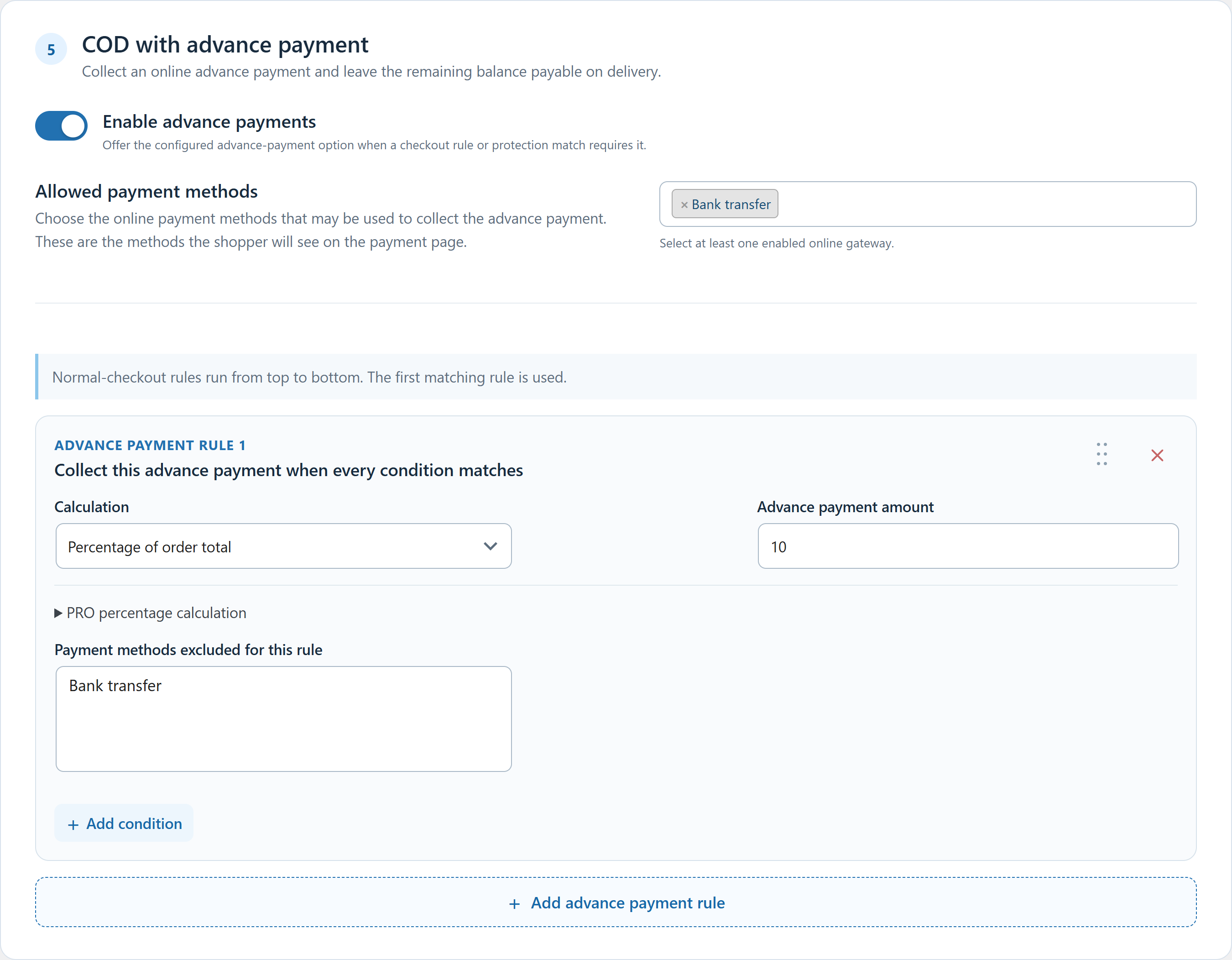 Click to enlarge the actual plugin screen
Questions about this feature
Is this the same as an extra COD fee?
No. A deposit pays part of the order in advance. A COD fee is a separate charge. PRO provides separate rules for the two purposes.
Must every customer pay a deposit?
Only if you configure that policy. You can apply deposits generally or target selected checkout conditions and protection decisions.