 smartcod
SMART COD PRO · Included in every PRO plan
A new customer to you. More history to work with.
Use delivery history from participating stores in the same country alongside your own store’s history. Choose your thresholds and the action at checkout.
How it works
Your store may be meeting this customer for the first time.
A shopper can be new to your store but already have COD delivery history with other participating stores in the same country. PRO can use that network history alongside your own orders, giving you more context before accepting a new COD order. You decide which history source is used and what response follows.
Set the eligible failed-delivery threshold and choose the response: hide COD, request a deposit or confirm an email. A history match is not a public customer blacklist and does not decide your policy for you. A customer with no available history is different from one with recorded failed deliveries.
Eligible delivery history found in the network.
A decision based on your rules — not a public blacklist.
Your checkout, your rules
Account for reliable deliveries too.
Negative history alone should not erase a strong record of successful deliveries. Configure a minimum success rate and, if useful, a consecutive-success requirement to bypass the history-based action for reliable customers. The audit shows whether this allowance was satisfied and actually applied.
Choose protection based on your store, the participating network in the same country, or both, and you can turn history protection off. Participation in data sharing is a separate choice: opting out prevents use of the network, while simply turning off its protection action does not itself opt the store out. Coverage depends on participating stores and available history.
In practice
Example scenarios
Illustrative rules and amounts. You choose the values that fit your store.
| When this happens | Your chosen result |
|---|---|
| First order in your store; eligible network history exists | Use the selected network history in the protection decision. |
| 9 successful COD deliveries + 1 eligible failure; success allowance set to 90% | The success-rate allowance is met; the history action can be bypassed. |
| 8 successful deliveries + 2 eligible failures; same 90% allowance | 80% does not meet that allowance; apply the chosen history action if the failure threshold is met. |
What the customer experiences
The checkout follows the action you configured for the available history. Depending on your policy, COD may remain available, be hidden, require a deposit or require email confirmation. Customer matching uses pseudonymised identifiers rather than a shared customer directory visible to merchants.
Settings & setup
Set it up in your store
Select the history scope, set your failed-delivery threshold and choose a protection action. Then configure any positive-history allowances. Test the outcomes and read the audit before adjusting a threshold: a separate hiding rule can still apply even when a history allowance is satisfied.
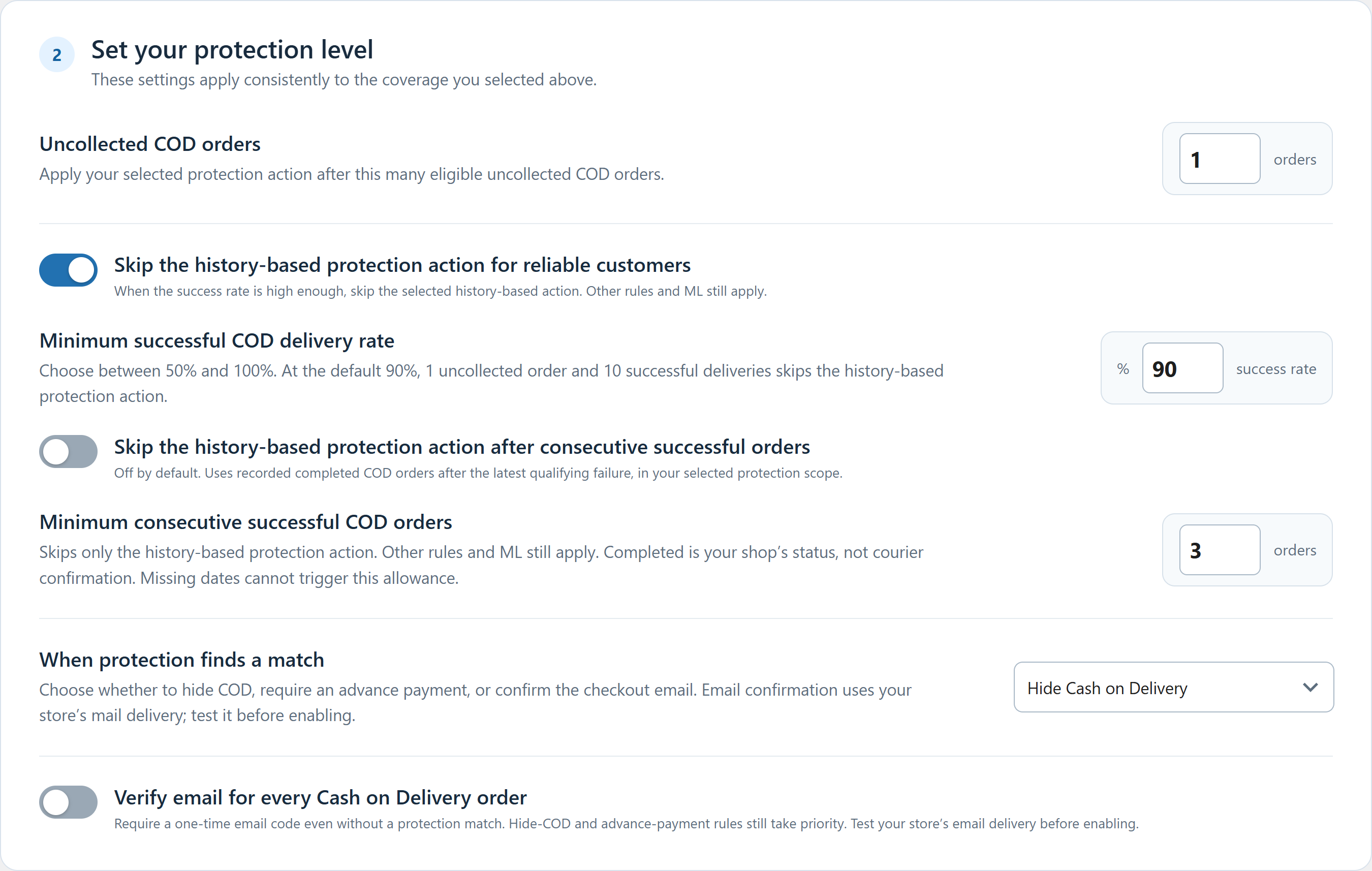 Click to enlarge the actual plugin screen
Network coverage varies by country and participating stores. Delivery history is a signal, not a guarantee of future behaviour. Explore coverage by country →
Questions about this feature
Does no history mean a bad customer?
No. Missing history is not a recorded failure. The rules and other protection layers use the facts actually available.
Can another rule still hide COD for a reliable customer?
Yes. A positive-history allowance bypasses the history action, not independent checkout restrictions or ML actions. The audit distinguishes these reasons.